
AI Work Buddy: A smarter way to manage your daily work
Current Landing Page

Feature 4
Most Memorable Moment: From a Set of Tools to a Work Buddy
The pivotal moment came when we refused to view the product as just a 'set of tools'. Three reframing HMW questions shifted the project from delivering an AI tool catalog to designing a unified Work Buddy Dashboard — turning a tactical feature project into a strategic product vision that aligned IKEA's three separate AI tools into one coherent experience.
Project Context
My Role
Duration
Tools
Figma
Team
UX Designers, PM, Developers
Explored Possible Solutions
Results
Process
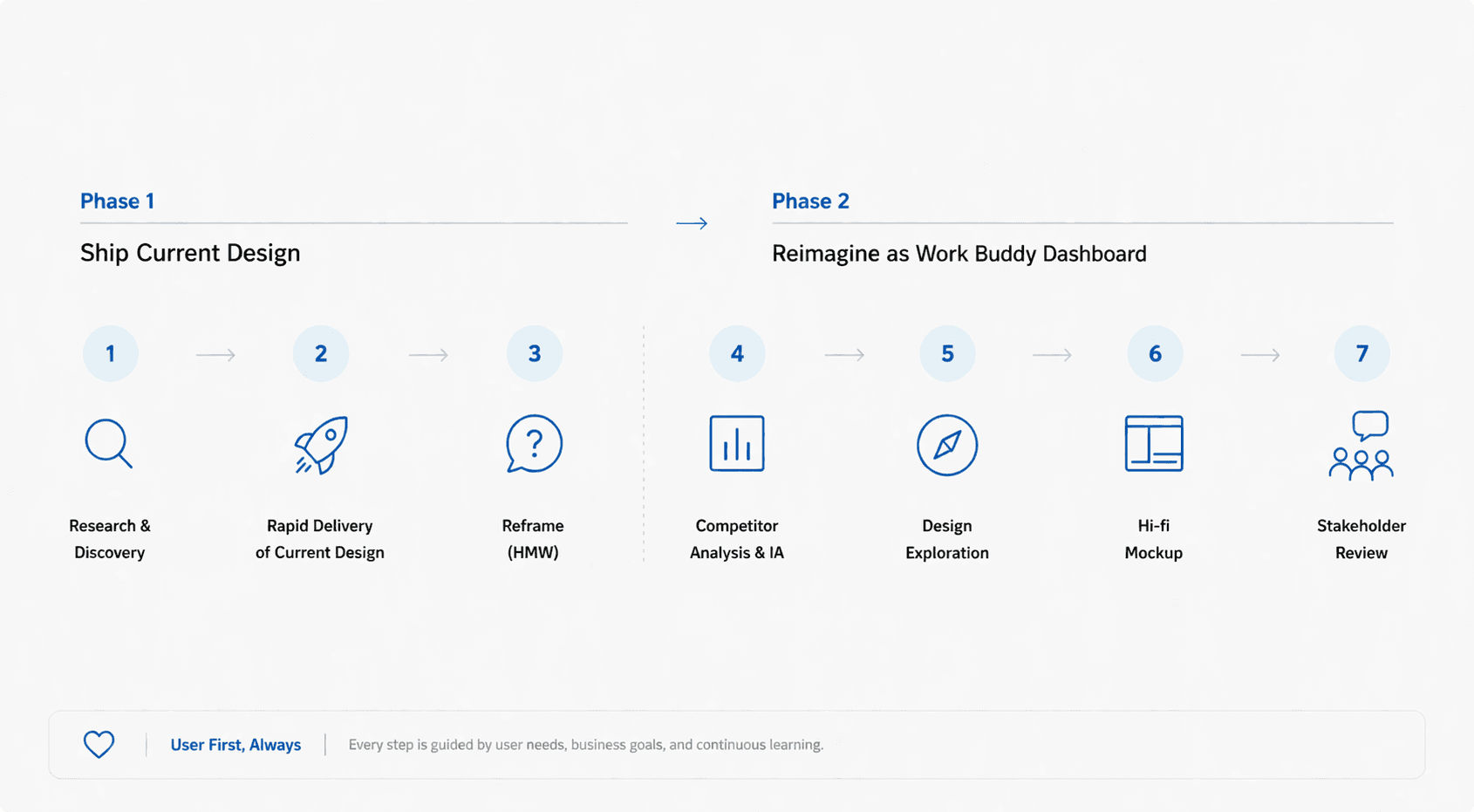
Chapter 1: Shipping First: Delivering Value to Coworkers Fast
Execution Speed
Collaboration
Pragmatism
User-First Mindset
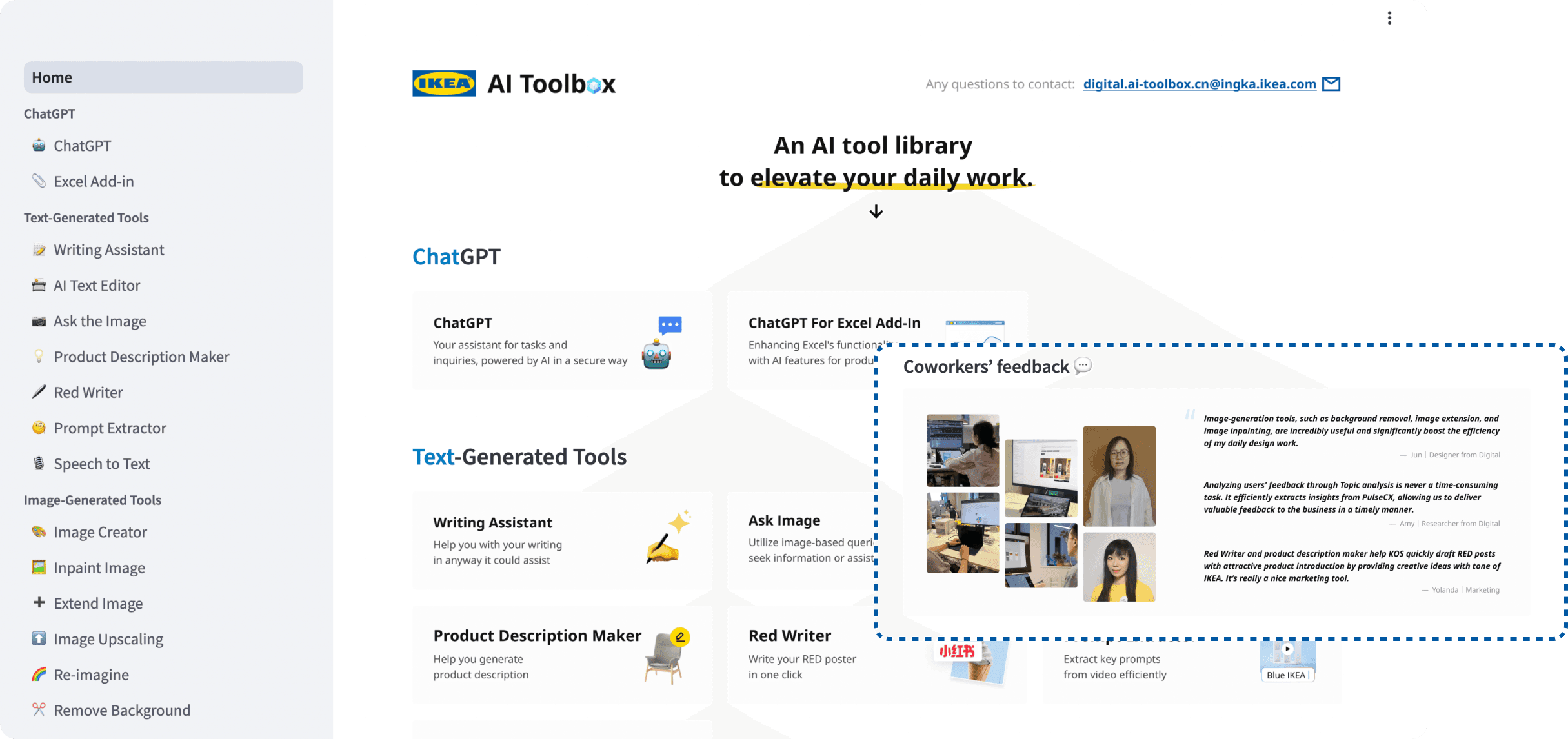
[Story Part 1] Delivered the Current Landing Page
UX/UI Design
Visual Design
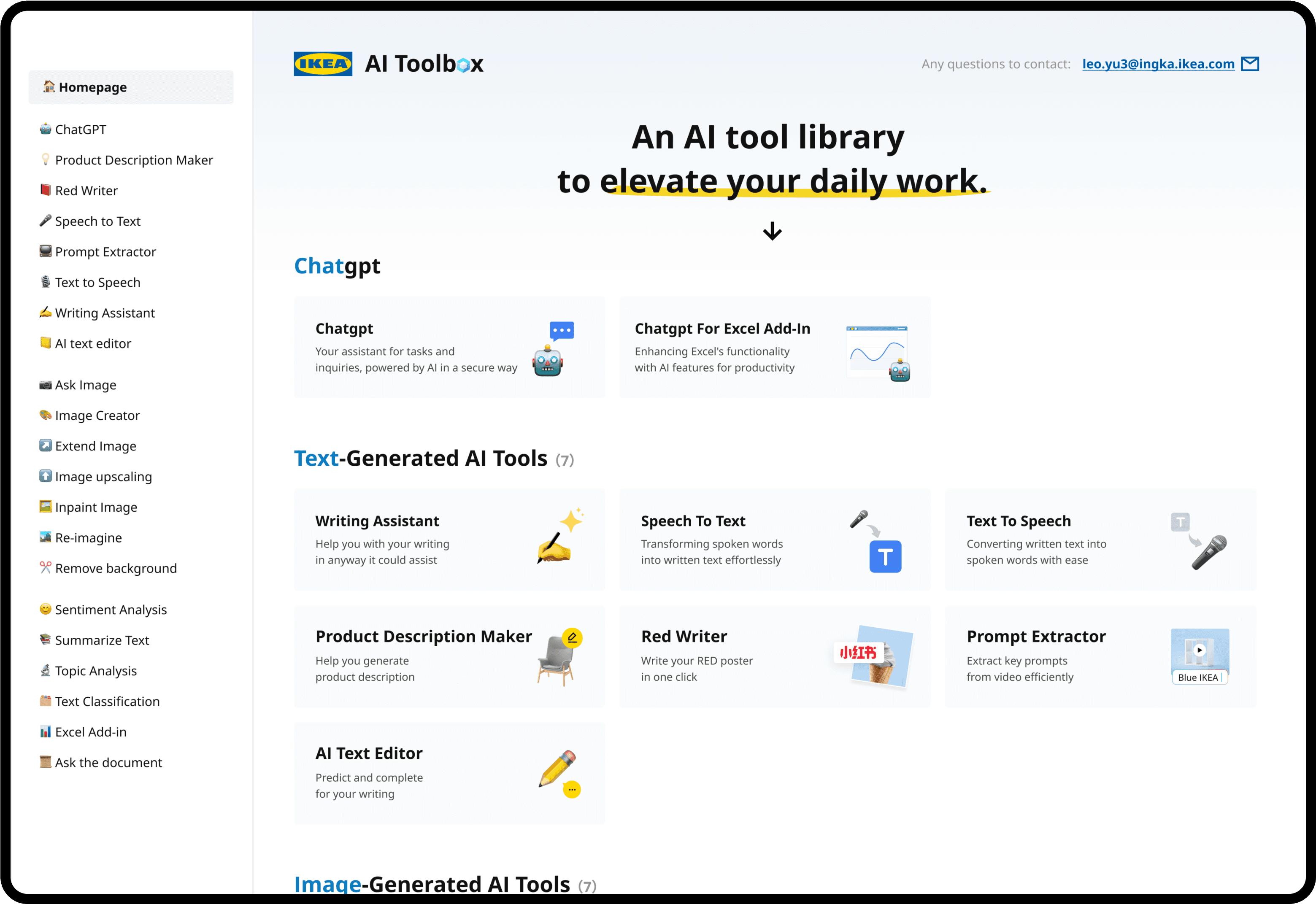
When coworkers needed AI tools immediately, we couldn't wait for a perfect long-term solution. I partnered with a senior designer to rapidly complete the UX/UI and visual design of the current AI Toolbox landing page. The goal was simple: get a usable, well-designed product into coworkers' hands as fast as possible so they could start saving time. We focused on clarity over novelty, prioritizing IKEA brand consistency and intuitive navigation. Within weeks, the landing page was live, integrating 20+ front-end AI tools into one accessible platform. This rapid delivery built early momentum, generated real usage data, and earned stakeholder trust — laying the foundation for the strategic Work Buddy vision that came next.
[Story Part 2] Designed the AI Agent Icon System
Icon Design
Brand System Thinking
To make AI agents feel approachable rather than intimidating, I collaborated with another designer to create a custom icon system in an IKEA-inspired style — fun, clean, and instantly recognizable. Each icon visually communicates the agent's purpose so coworkers can scan the toolbox and pick the right tool without reading every label. We grounded the visual language in IKEA's existing brand cues — warm colors, rounded forms, friendly tone — while introducing AI-native motifs like sparks, dialogue bubbles, and abstract networks. The result was a cohesive icon library that humanizes AI for IKEA staff and reinforces the toolbox as a trusted, on-brand workplace companion that feels distinctly IKEA, not generic AI.
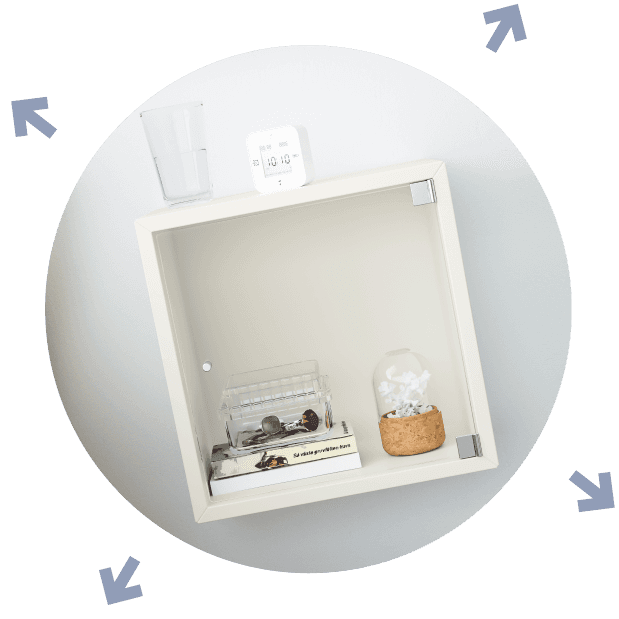


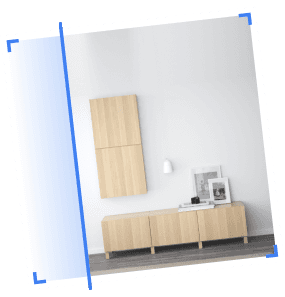
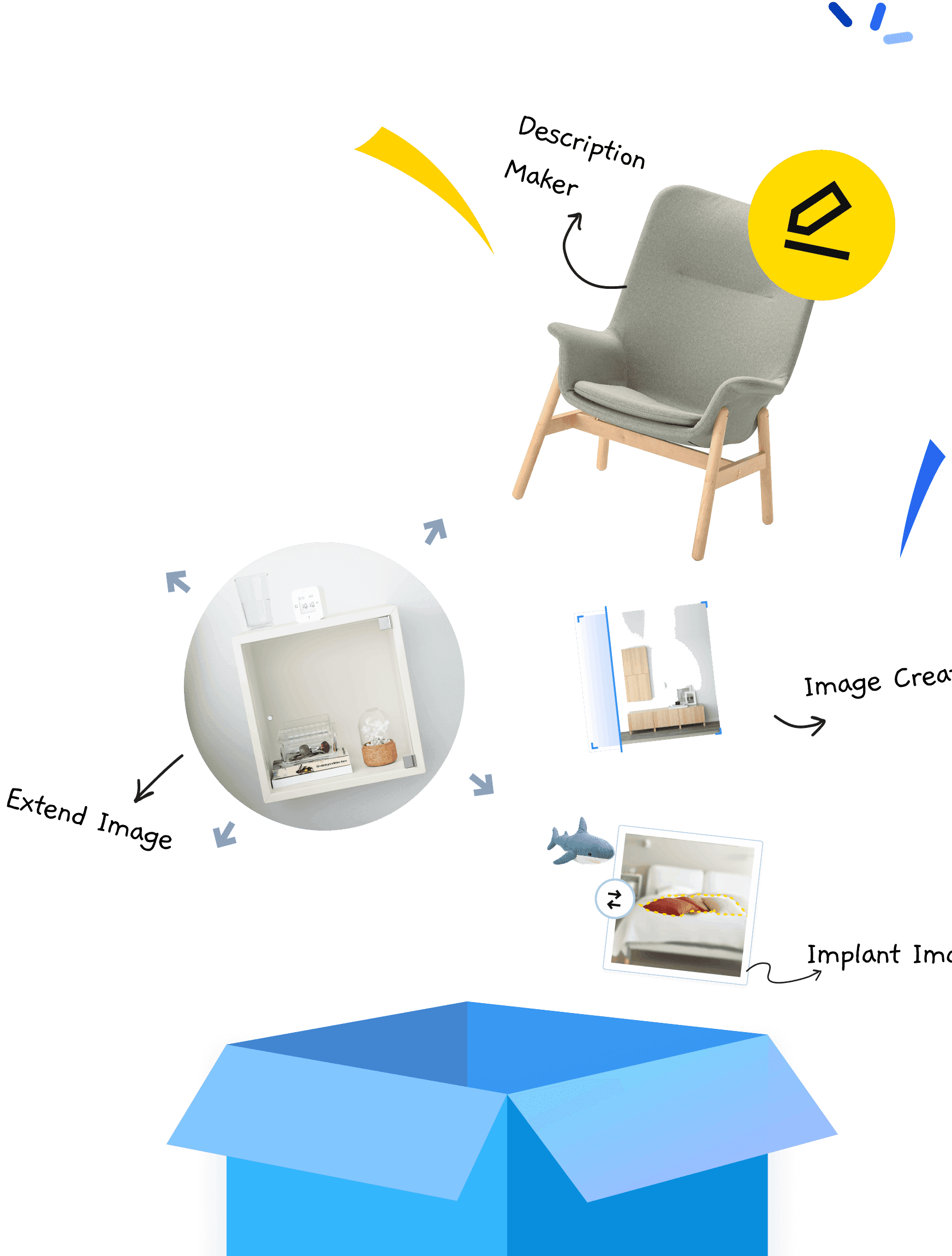
Implant Image
Image Creator
Description Maker
Extend Image
Chapter 2: Reframing the Problem: From 'Tool Set' to 'Work Buddy'
System Thinking
Deal with Ambiguity
Strategic Reframing
Cross-functional Communication
[Story Part 1] Asking the Right HMW Questions
Problem Framing
Strategic UX Thinking
After delivering the current design, I refused to settle. Together with my design partner, I asked three reframing HMW questions: How might we stop limiting ourselves to existing product forms and stop viewing this as merely a set of tools? How might we combine the power of IKEA's three AI tools — Copilot, Langdock, and AI Toolbox — in a user-friendly way? How might we make the AI toolbox integrate seamlessly into regular workflows to deliver greater benefit? These questions reframed the project from 'ship more features' to 'rethink the product'. That shift unlocked a new vision: a Work Buddy Dashboard that leverages each tool's strengths and integrates them intuitively for coworkers.
How might we
Stop limiting ourselves to existing product forms, viewing them merely as a set of tools?
How might we
Combine the power of current three IKEA AI tools (Copilot, Langdock, AI toolbox) in a user-friendly way?
How might we
Make an AI toolbox more integrated into regular workflows, providing greater benefits to our coworkers?

[Story Part 2] Competitor Analysis & Information Architecture
Competitive Analysis
Information Architecture
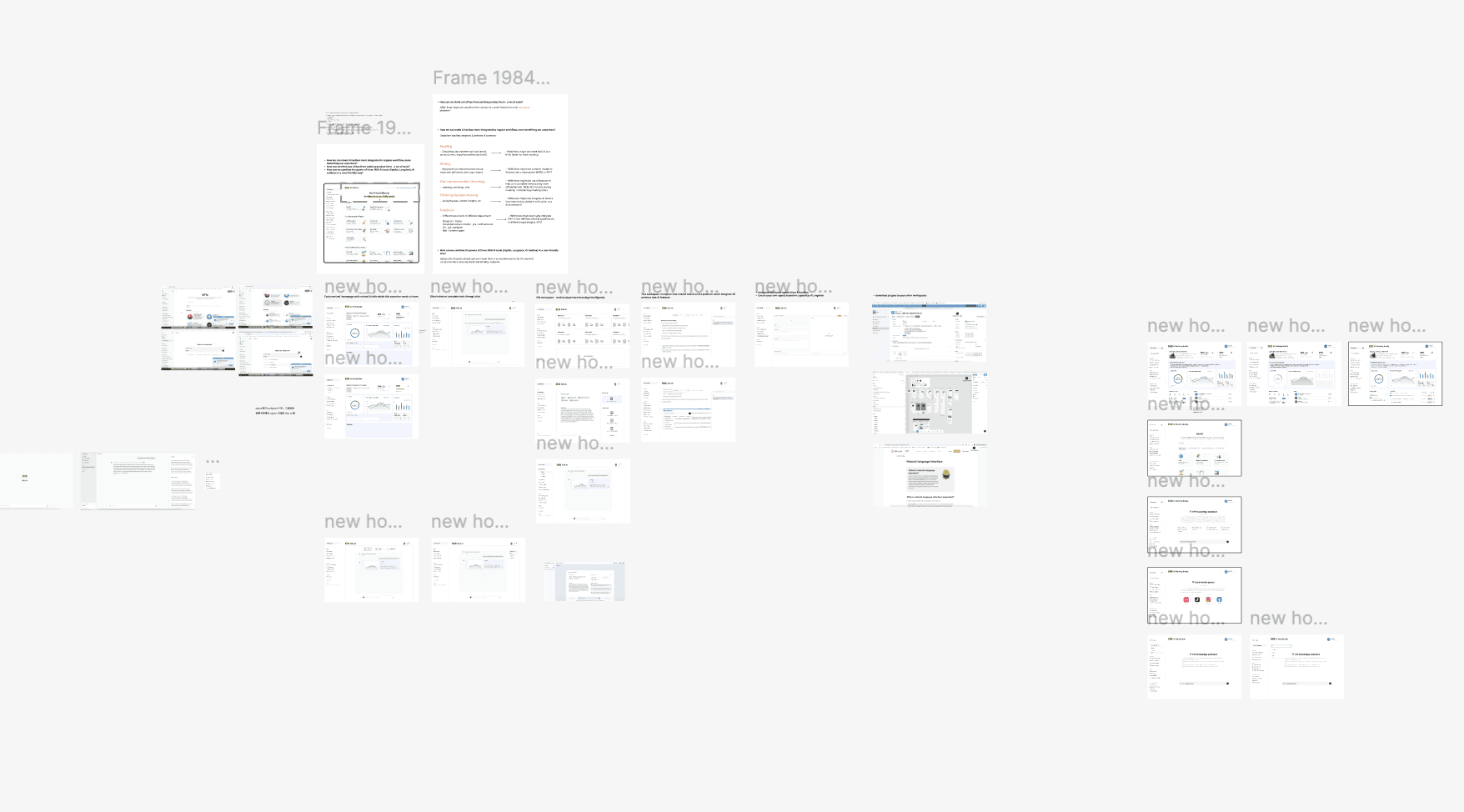
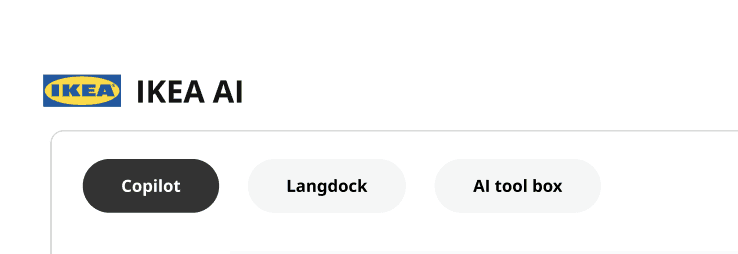
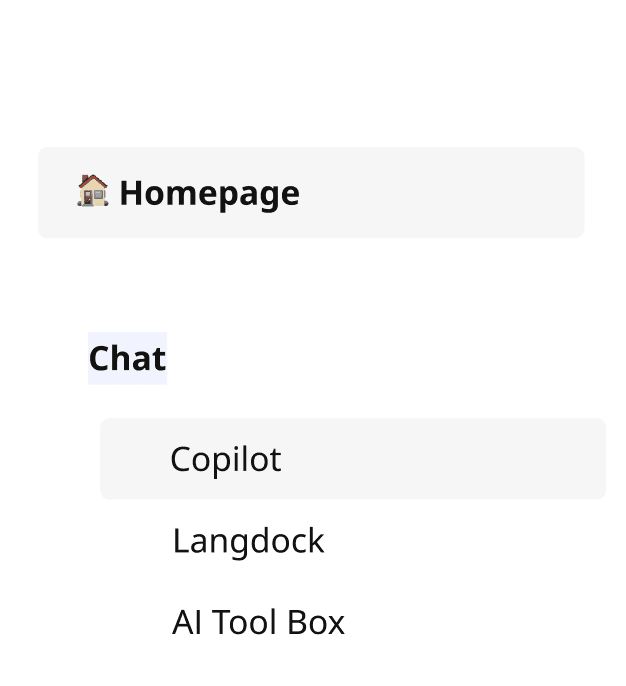
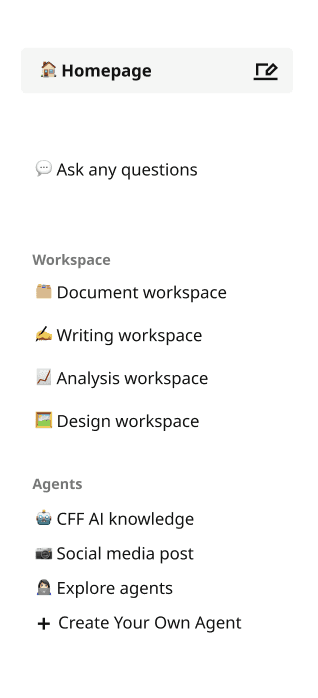
To validate the new vision, we conducted a competitive analysis of leading AI tools and explored possible information architectures for the dashboard. I tested multiple navigation patterns — horizontal tabs, grid layouts, and vertical sidebars — before landing on vertical navigation. Three reasons drove the decision: vertical nav offers clearer categorization for diverse AI features, makes navigation easier for daily users, and leaves room to scale as new AI tools are added over time. This decision was small in surface area but large in long-term impact: it gave the product a future-proof skeleton that could grow with IKEA's evolving AI capabilities rather than locking us into the limitations of the current toolbox shape.
1
2
3
Chapter 3: Designing the Future: A Dashboard Built for Real Workflows
Visual Storytelling
User Empathy
Detail-Orientation
Brand Alignment
[Story Part 1] Personalized Homepage & AI Agents
Hi-fi Prototyping
Information Design
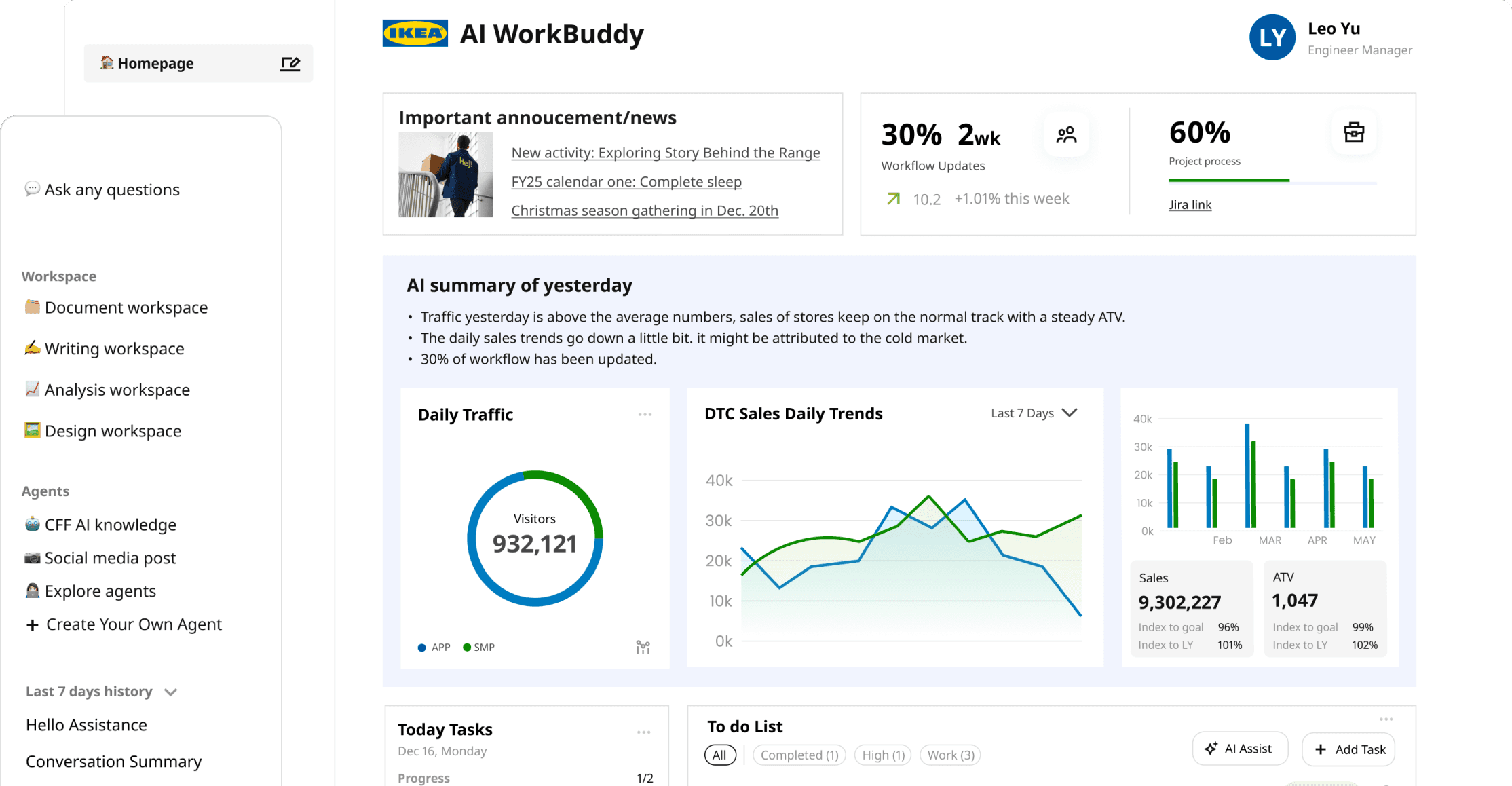
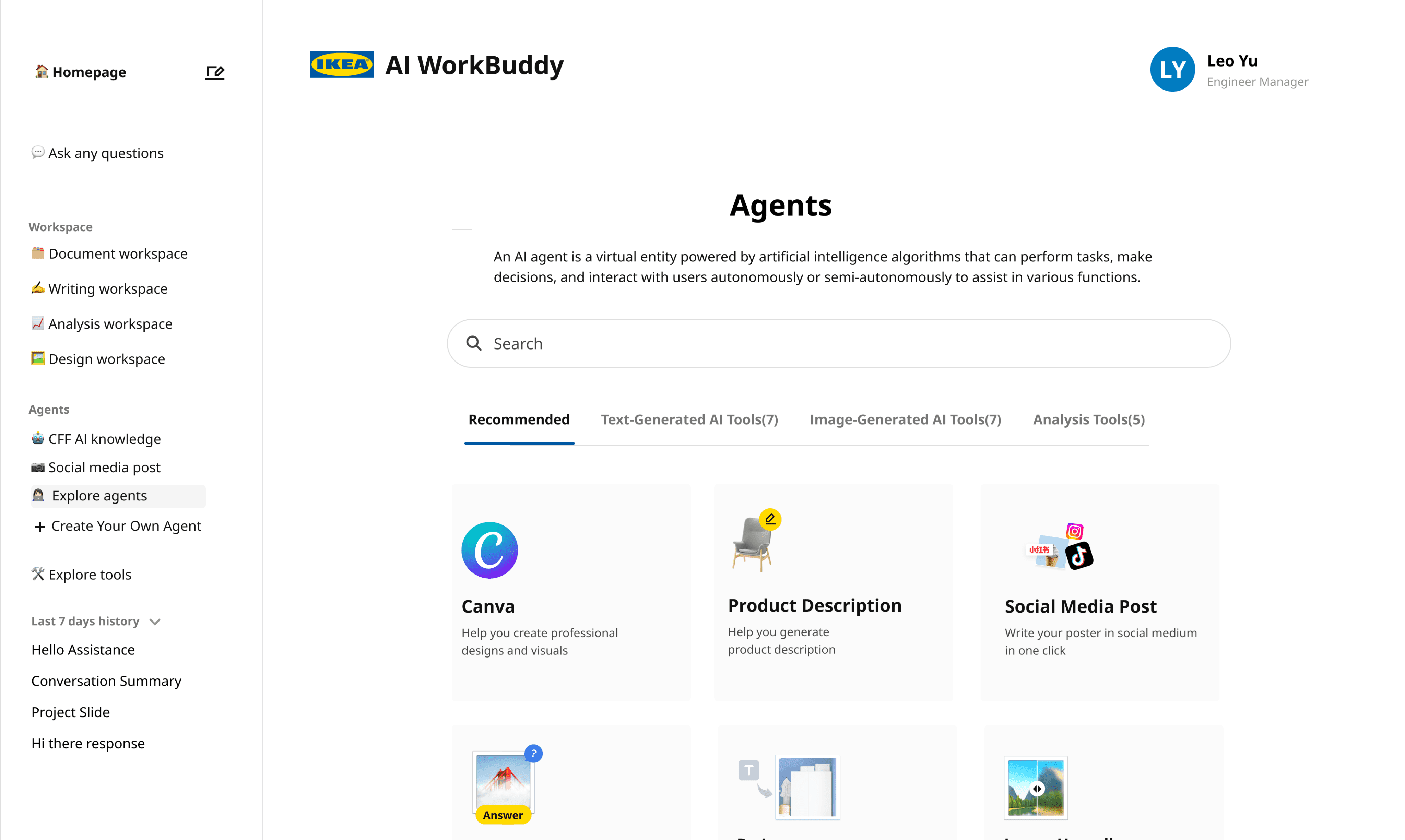
The new dashboard begins with a personalized homepage where each coworker can track in-progress tasks, see updates from their team, and stay current on company news — all surfaced contextually. From there, an AI Agent library lets coworkers select the agent best suited to their task: writing assistance, translation, research, or design support. Each agent is presented with clear capability descriptions and example prompts, removing the guesswork of 'which AI do I use?' The hi-fi mockups balanced IKEA's familiar visual language with modern AI affordances, making the experience feel both fresh and unmistakably IKEA. The goal was to make AI feel less like a tool to learn and more like a colleague to collaborate with every day.
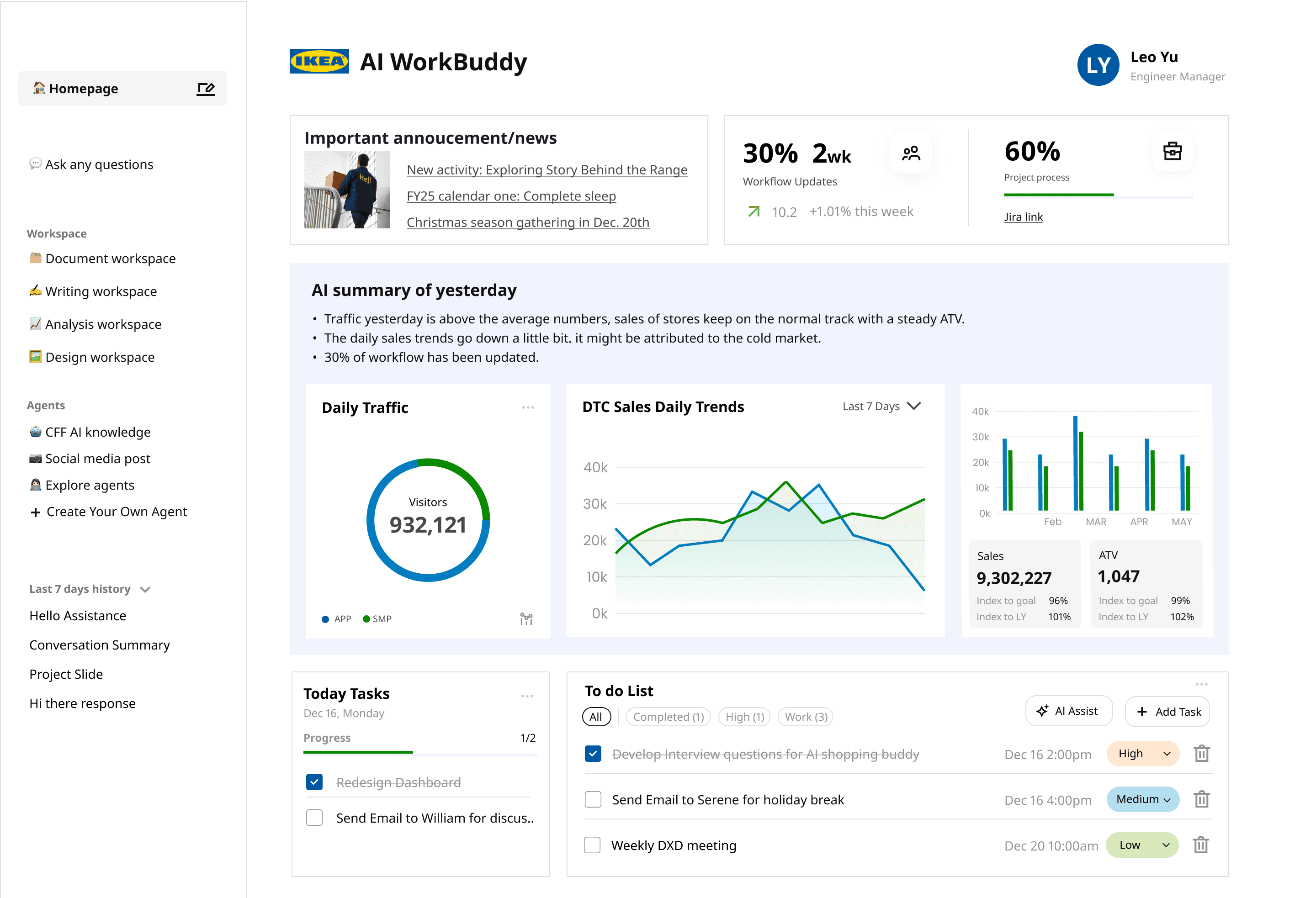
Read Business Report
Track project progress
Personalize your home page by selecting different tools
Check your daily tasks
Prioritize your To do list with AI’s assistant
Prioritize your To do list with AI’s assistant
[Story Part 2] Knowledge Assistant & Social Media Poster
Conversational UX
AI-Powered Workflow Design
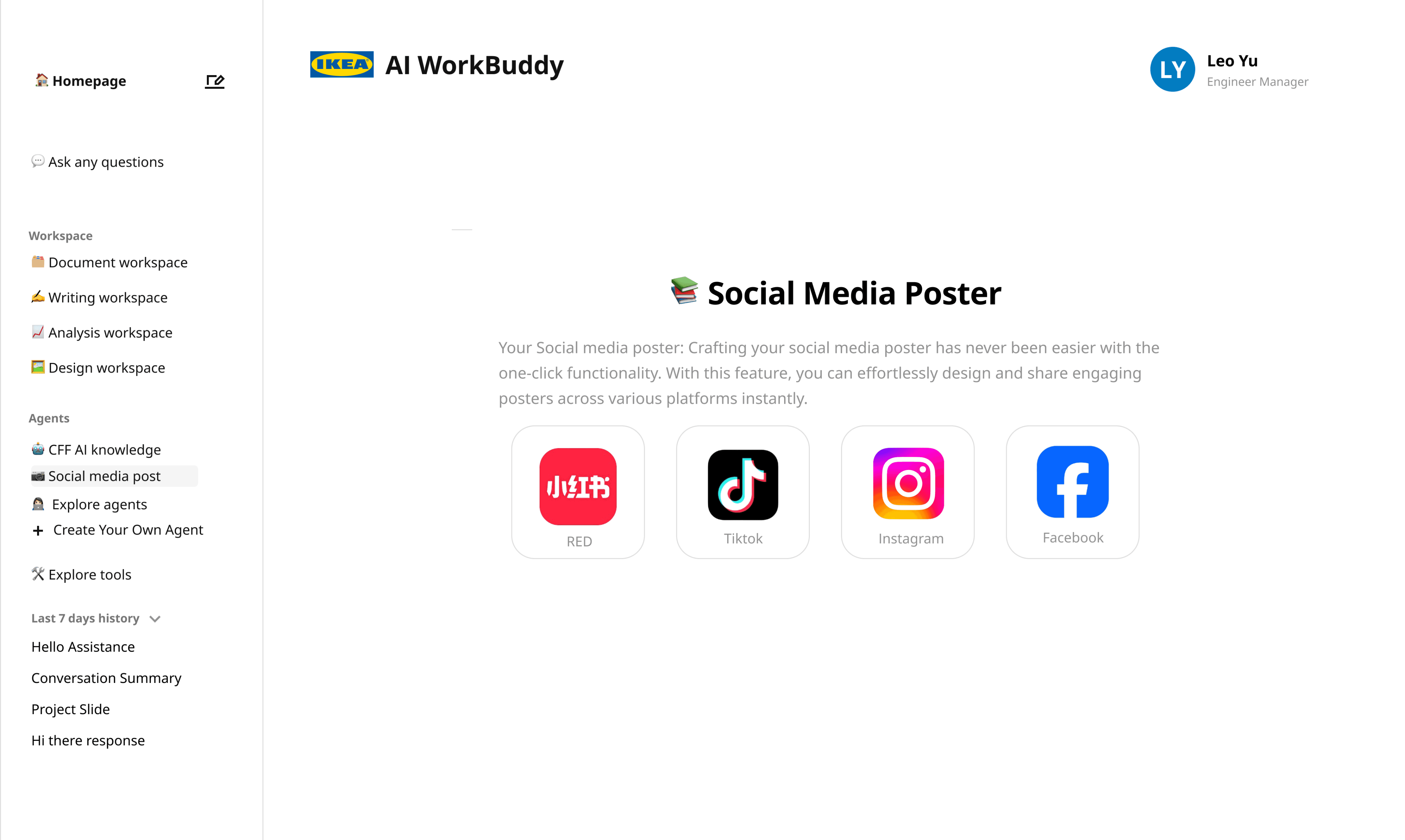
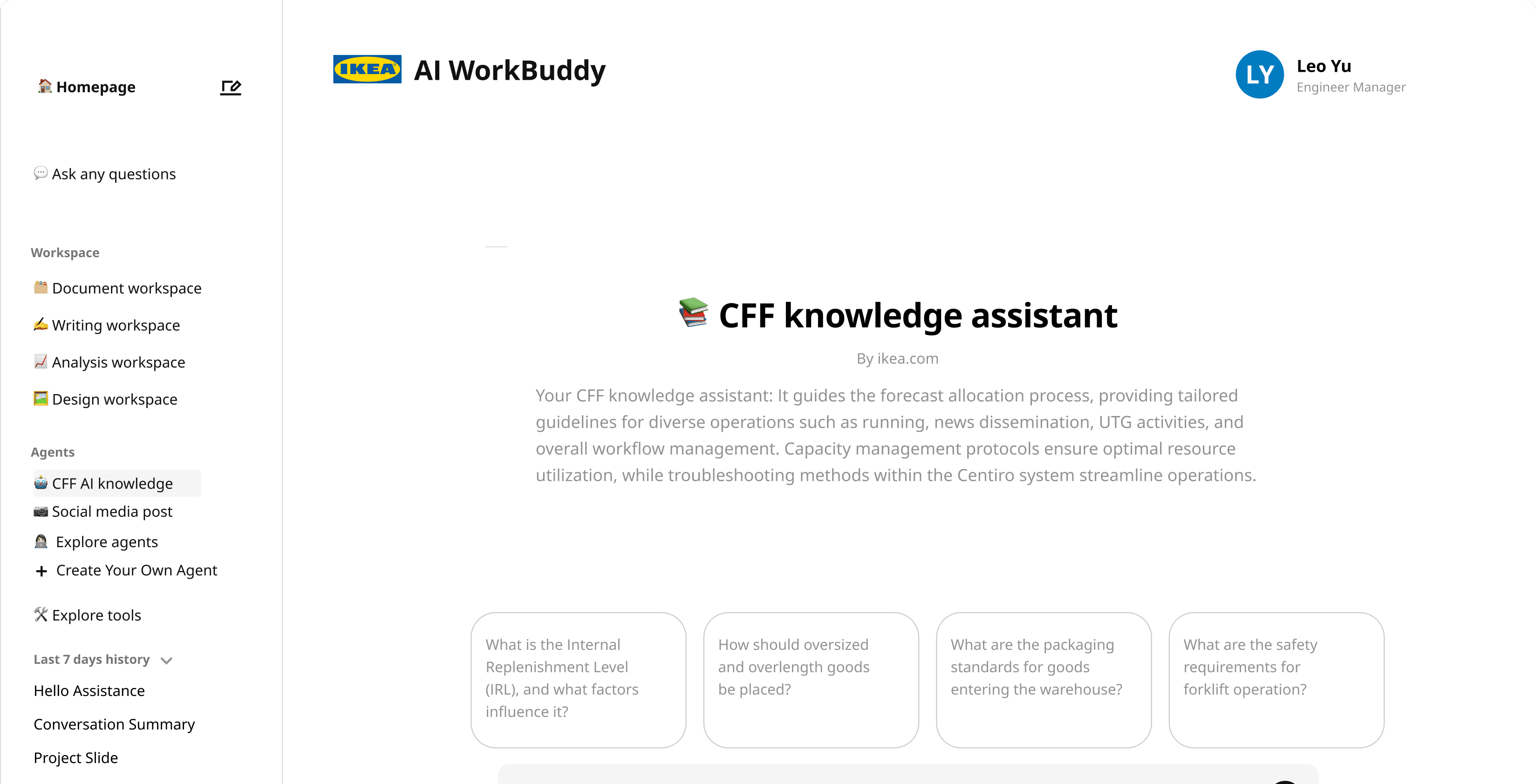
Two features showcase the dashboard's range. The CFF Knowledge Assistant lets coworkers ask IKEA-specific technical questions in natural language and receive grounded answers from internal documentation — eliminating time spent searching wikis and pinging colleagues. The Social Media Poster generator turns hours of design work into a single click: enter a product, get a viral-ready poster aligned with IKEA's brand. Together these features demonstrate the Work Buddy thesis — that AI should integrate into the actual jobs coworkers do, not sit on the side as a separate tool. Both flows were prototyped at hi-fi fidelity and prepared for review with the global IKEA team to inform next-step iteration and rollout.

Next Steps
Consult with the Global Team
Meet with the global team to review the hi-fi mockup and identify potential improvements
Continue to iterate
Continue refining the hi-fi mockup based on feedback and the needs of co-workers
Continue to find potential AI assistance
Explore potential AI-assisted features for various functions of the dashboard
Personal Takeaways
Consult with the Global Team
Meet with the global team to review the hi-fi mockup and identify potential improvements
Continue to iterate
Continue refining the hi-fi mockup based on feedback and the needs of co-workers
Continue to find potential AI assistance
Explore potential AI-assisted features for various functions of the dashboard